
Create Bulk Ledger Entries in Taxlink
Create many ledger masters at once from Excel: open the Ledger bulk upload screen, download the sample, fill it in, upload, review and edit rows, save, then push to Tally.
Before you start
- An active Taxlink subscription and a role with bulk upload access
- Microsoft Excel or another spreadsheet program
- Ledger details ready (name, group, GST and address fields as needed)
- Tally open with the right company and the Taxlink Connector running
Step 1: Open Bulk Upload → Ledger
Open the ledger master upload screen.
- Log in to your Taxlink dashboard
- Click "Bulk Upload" in the left sidebar
- Select "Ledger"
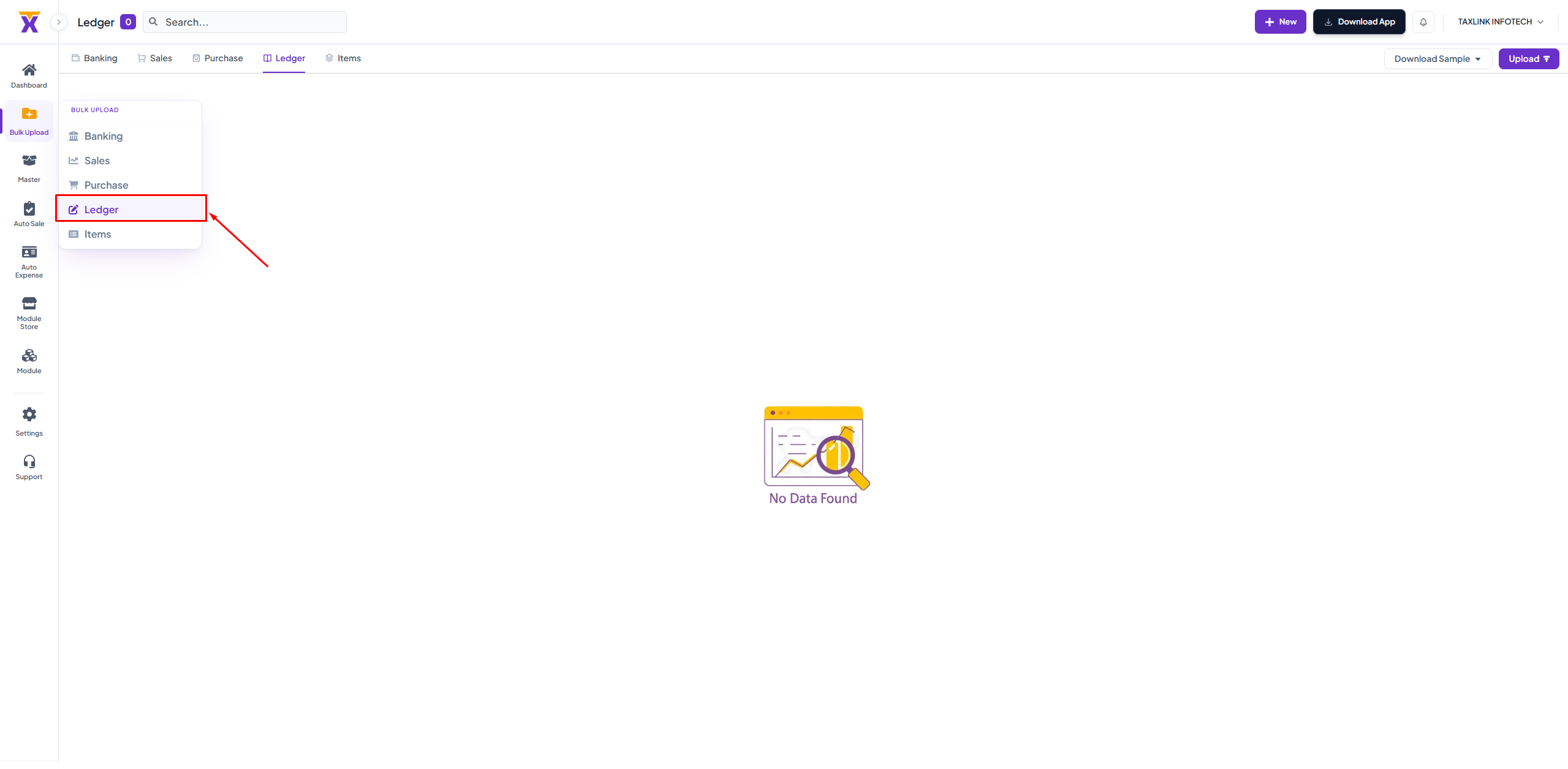
Click the screenshot to open it full size. Step 2: Download the sample file
Download the sample template to see the required columns.
- Click "Download Sample Excel"
- Open it in Excel or Google Sheets
- Note the column headers and mandatory fields
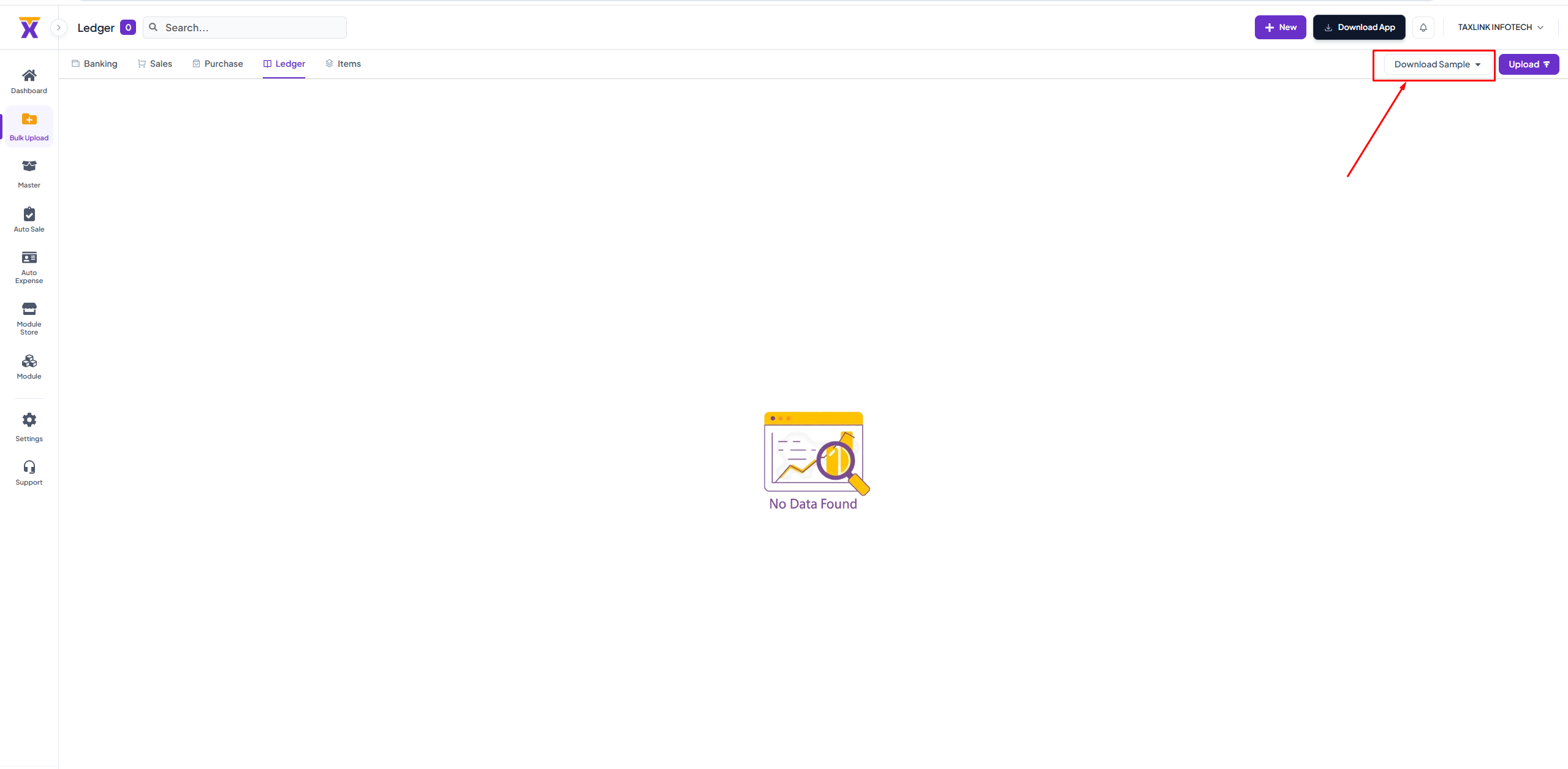
Click the screenshot to open it full size. Step 3: Fill in the file
Add your ledger master data to the template.
- Ledger name and parent group (Under)
- Mailing name, address, state and PIN if needed
- GST registration type, taxability and tax rates if GST applies
- PAN and GSTIN/UIN where applicable
- Save the file with a clear name
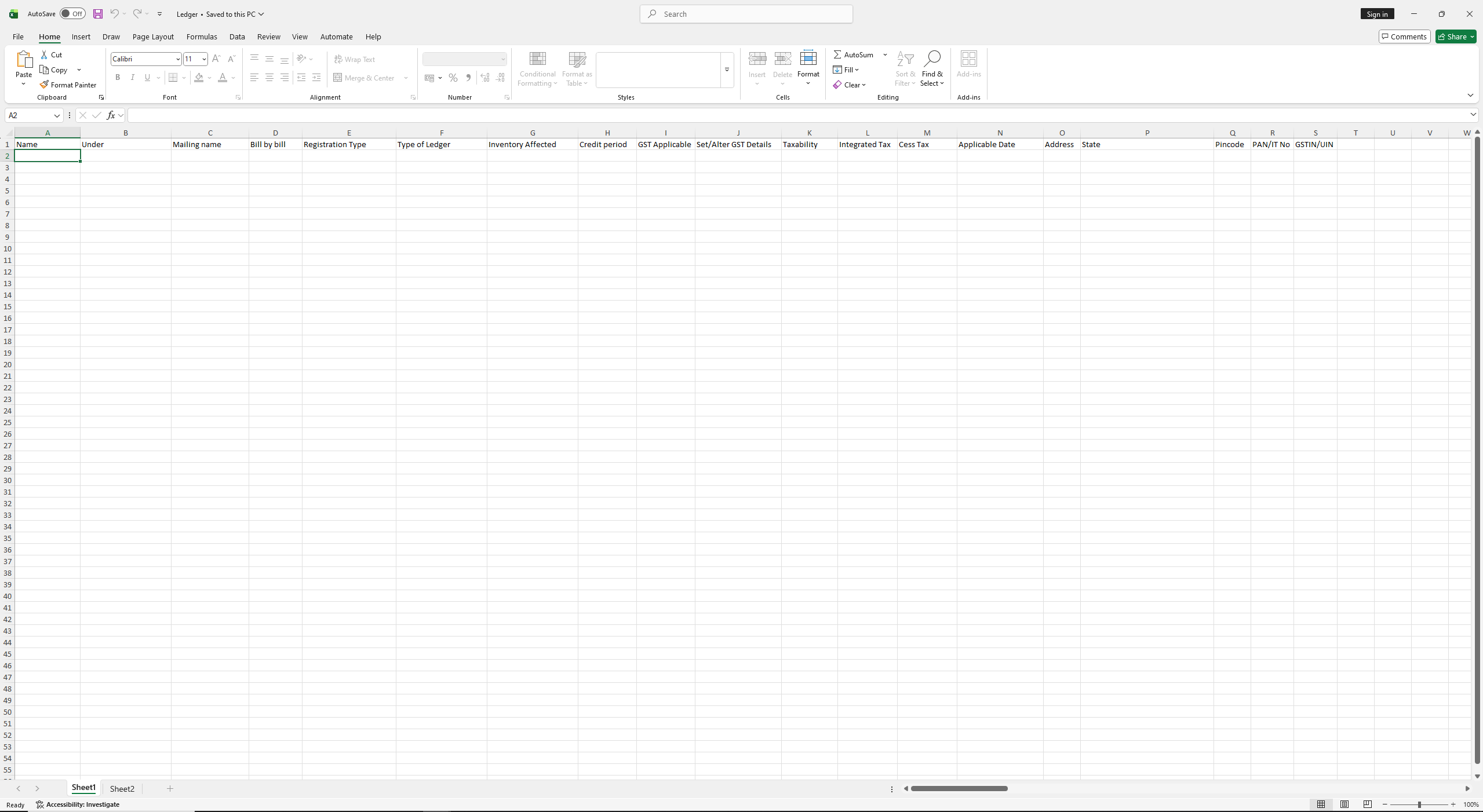
Click the screenshot to open it full size. Step 4: Upload the file
Upload your completed ledger sheet.
- Click "Upload"
- Select your Excel or CSV file
- Supported formats: .xlsx, .xls, .csv
- Wait for the upload confirmation
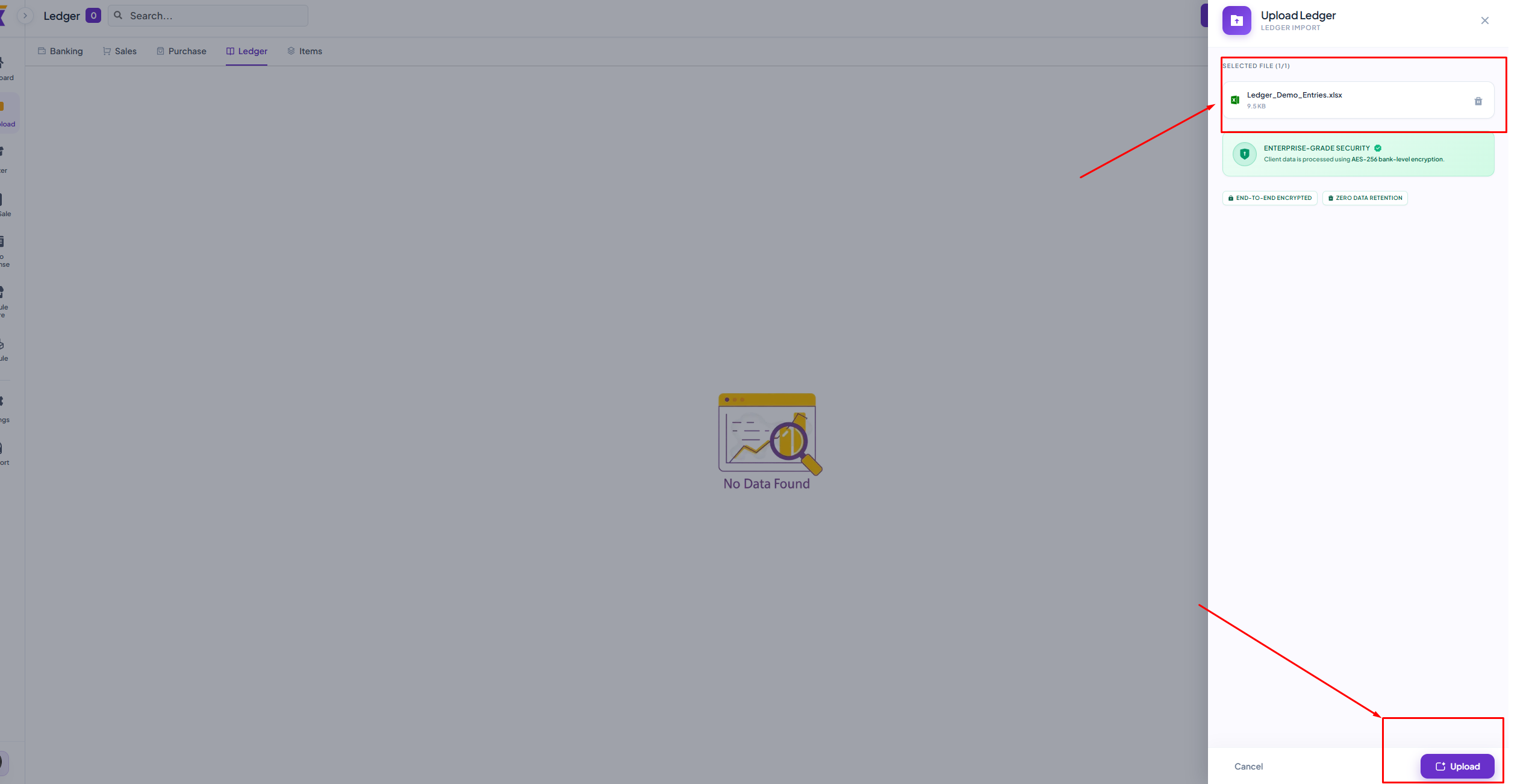
Click the screenshot to open it full size. Step 5: Review and edit if needed
Check imported rows and fix any errors before you save.
- Review each ledger row in the grid
- Edit dropdown fields such as Under, registration type or GST settings
- Fix validation messages or missing values
- Confirm names match how you want them in Tally
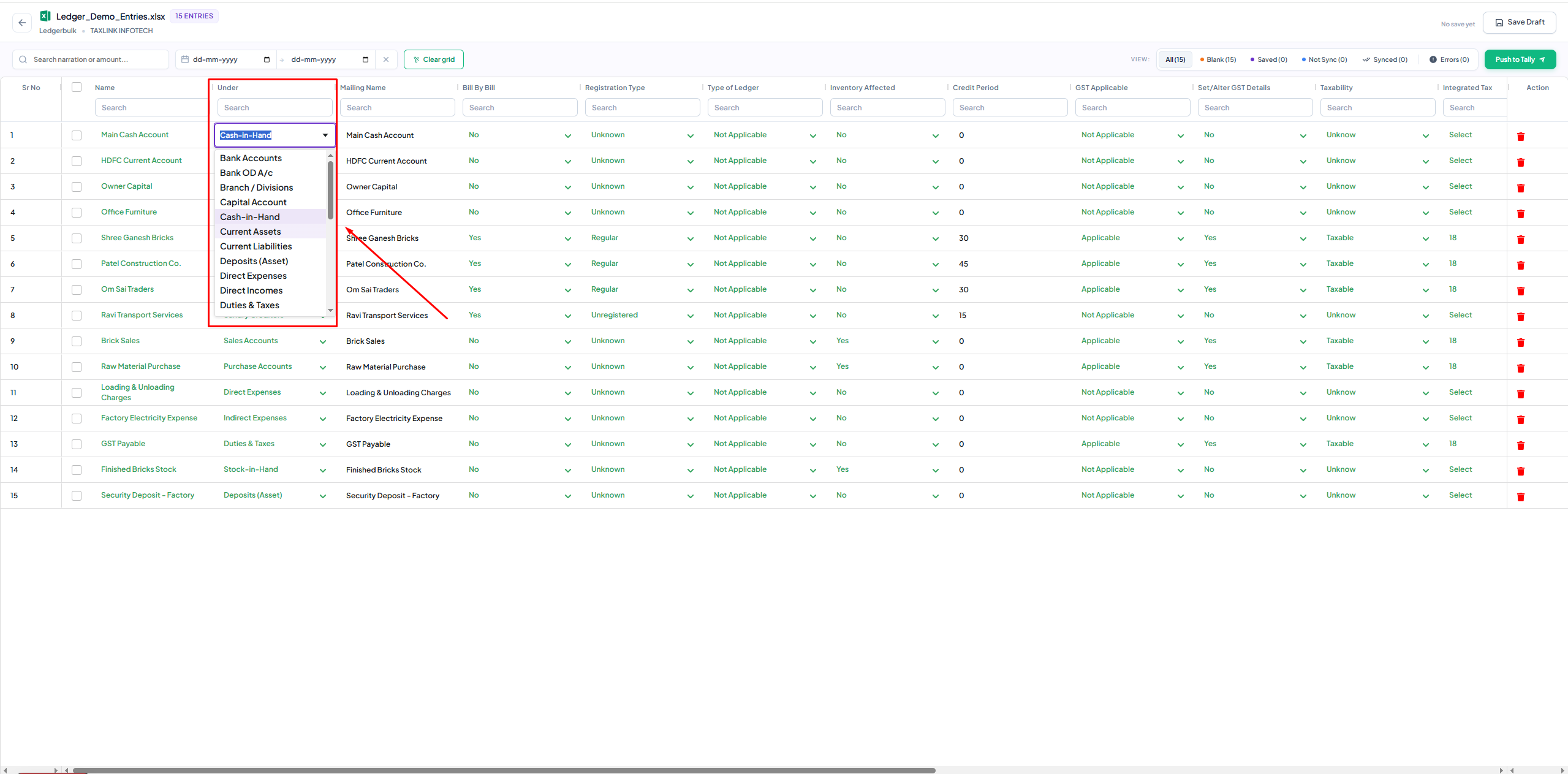
Click the screenshot to open it full size. Step 6: Save
Save the ledger masters in Taxlink.
- Review all rows one last time
- Click "Save"
- Wait for the save confirmation
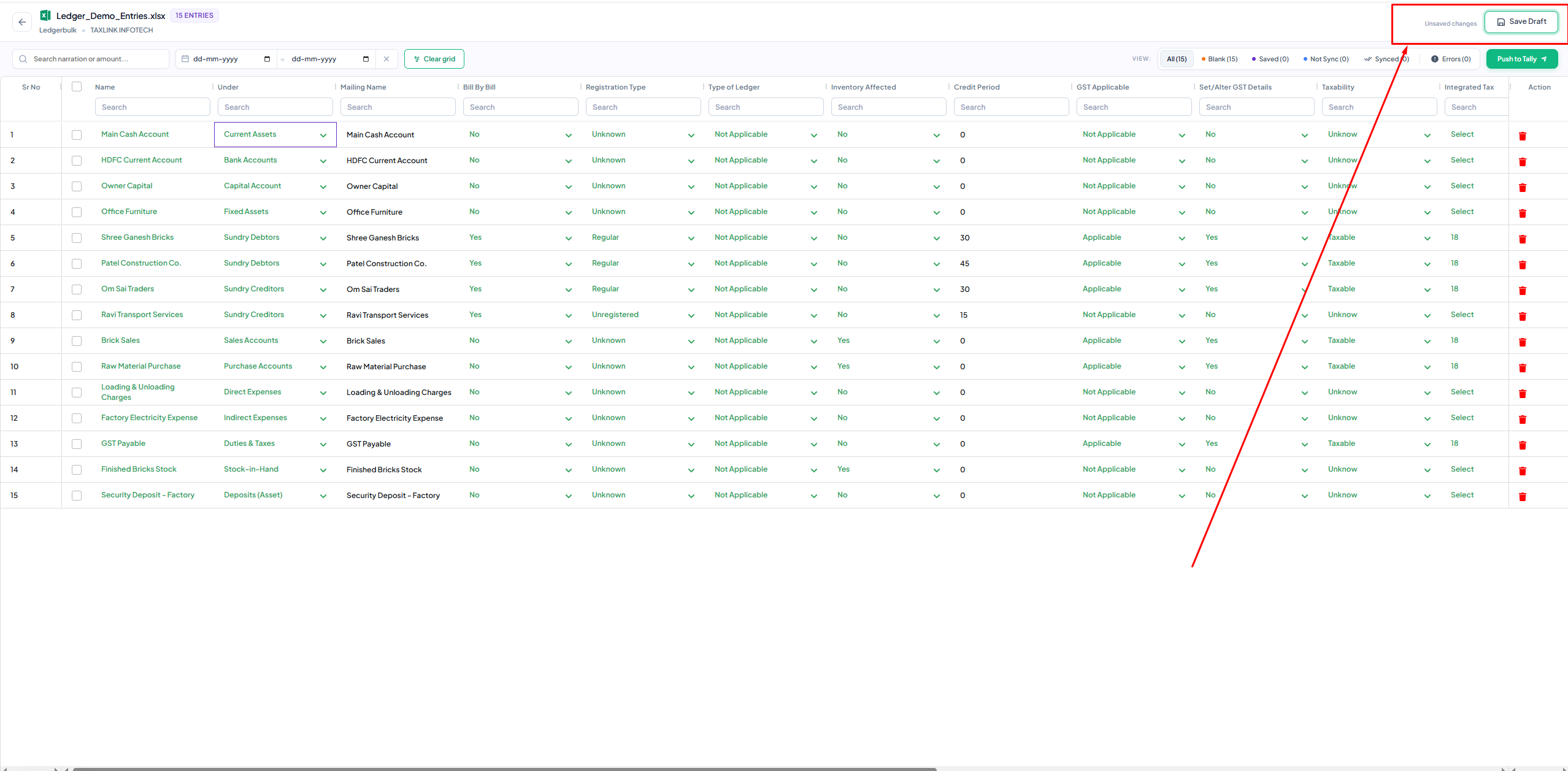
Click the screenshot to open it full size. Step 7: Push to Tally
Send the saved ledger masters to Tally.
- Click "Push to Tally"
- Wait for the sync to finish
- Check the ledgers in Tally
- Resolve any sync errors
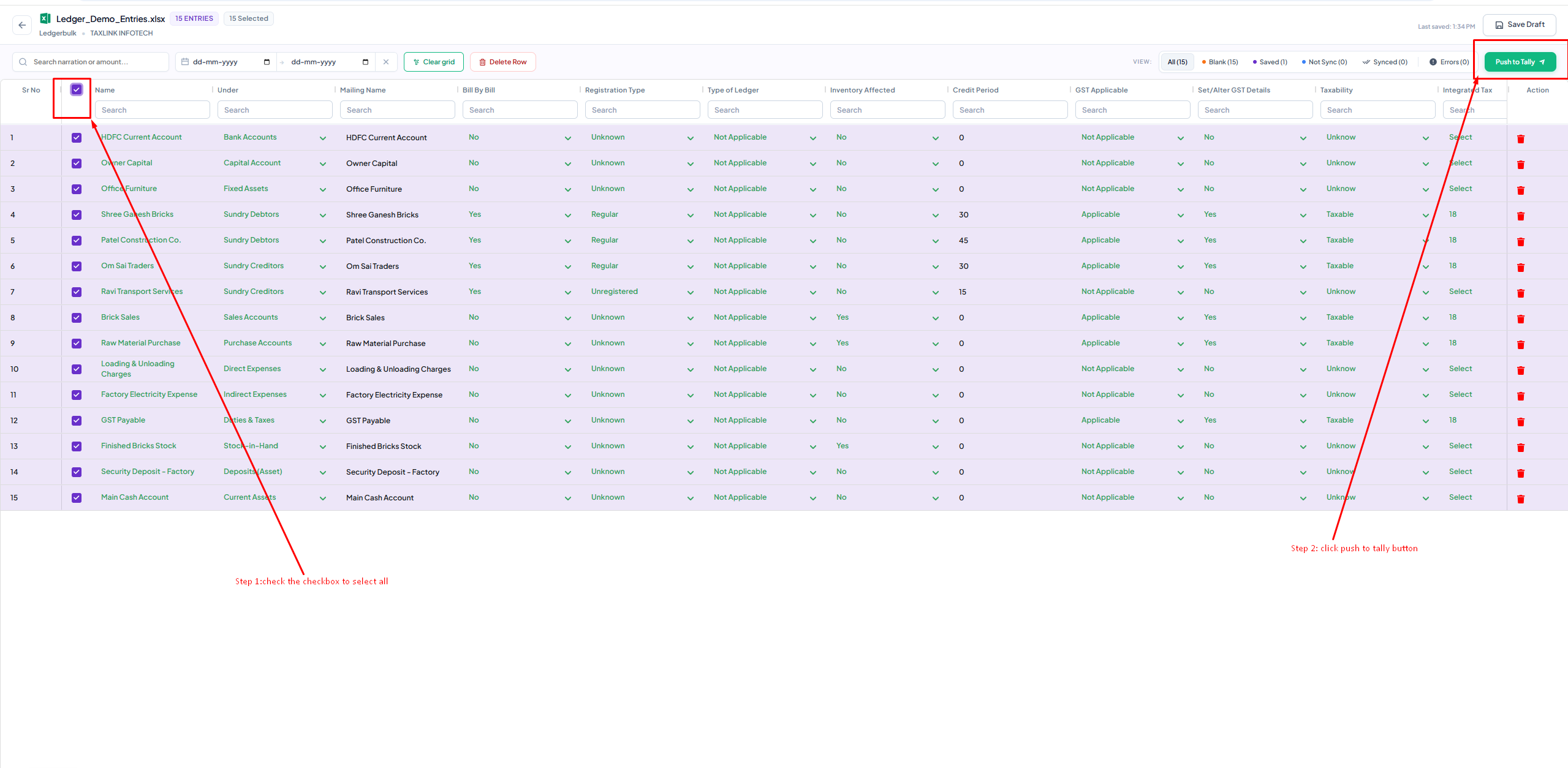
Click the screenshot to open it full size.
Tips
Use the latest template
Download the sample file again before a new upload so the columns match.
Match group names
The Under (parent group) name must match Tally, or Taxlink will create it if allowed.
GST fields
Fill GST columns only for ledgers that need statutory details in Tally.
Still stuck?
Email support@taxlink.in or call +91 84848 48833 (Monday to Saturday, 9 AM – 6 PM IST).