
Bank statement to Tally, with AI ledger mapping
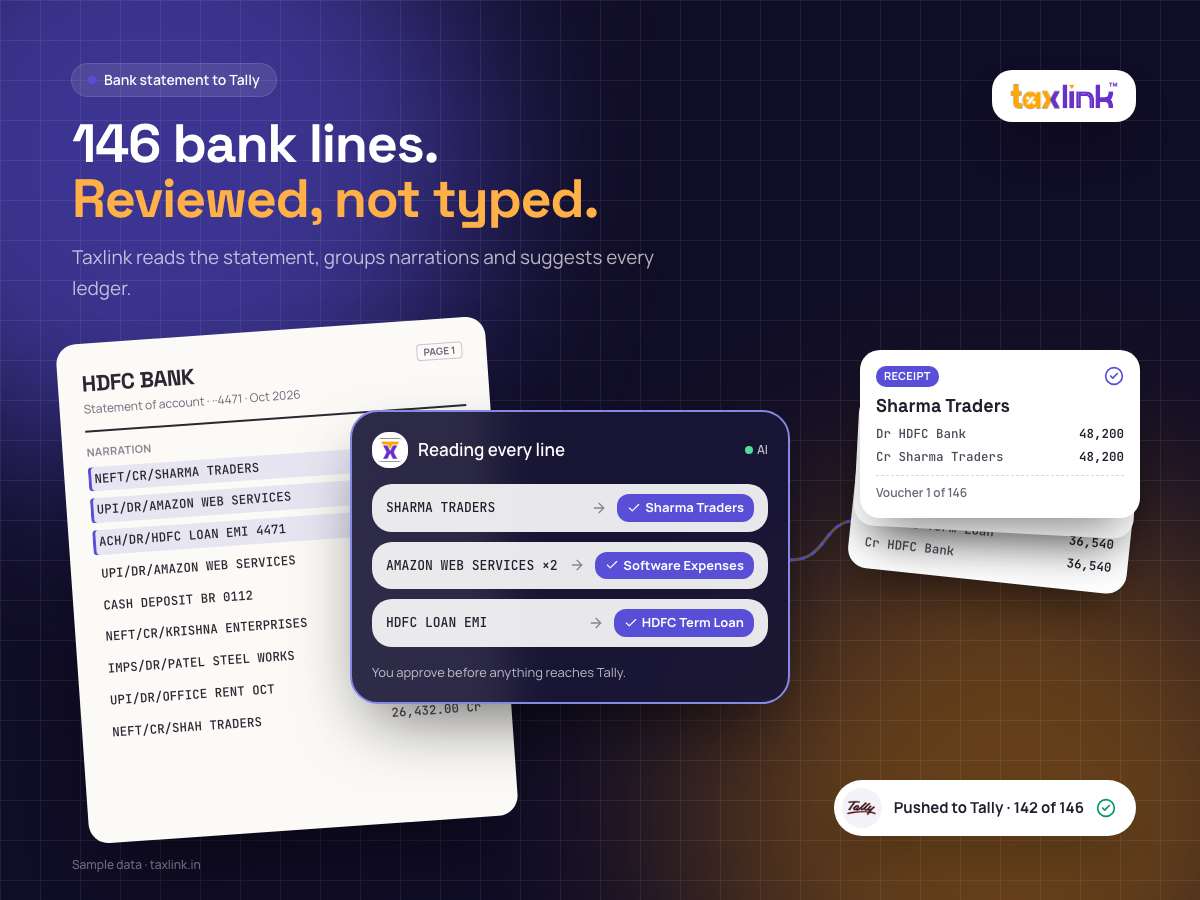
Taxlink converts bank and credit-card statements in PDF, Excel or CSV into Tally vouchers. It groups similar narrations, suggests the ledger for each group and remembers every bank account's mapping — so your team reviews entries instead of typing them, and pushes them to Tally only after approval.
Chartered Accountants and accountants want to turn a client's bank or credit-card statement into Tally payment and receipt vouchers without retyping each line.
Used by CAs + Accountants · ₹8,000 + GST/year with every module · Works with your existing Tally
Upload statement
Drop PDF, Excel or CSV
Current, savings & credit-card statements
The problem
What this solves for your practice
Month-end bank books still mean hours of narration typing, guessing ledgers, and fixing Tally rejects. Scanned passbooks and inconsistent PDF layouts make the job slower. Taxlink reads the statement, groups similar narrations, suggests ledgers from your past choices, and holds every line for review before anything reaches Tally.
How it works
Three steps, start to finish
- 1
Upload the statement
PDF, Excel or CSV — even password-protected. Taxlink remembers which ledger each account belongs to.
- 2
AI groups similar narrations
Repeated payees are grouped and a ledger is suggested. You choose how strict the matching is.
- 3
Approve and push
Approve a whole group at once, then push to Tally. Nothing posts without you.
Full workflow
From upload to Tally — step by step
- 1
Connect Tally with the Taxlink Connector
Install the Taxlink Connector on the Windows PC where Tally runs. Sign in, pick the company, and keep Tally open while you work so approved vouchers can sync.
- 2
Upload the statement
Open Banking in Taxlink. Drop a PDF, Excel, or CSV export (up to 40 MB). If the PDF is password-protected, enter the password in the upload drawer. Select the company and the bank ledger — Taxlink remembers this pair for the same account next month.
- 3
Review parsed transactions
Check dates, amounts, and narrations. Fix any line the parser could not read. Split a single bank line across multiple ledgers when one payment covers several expenses.
- 4
Let AI group and suggest ledgers
Similar narrations are grouped together. Choose Smart, Balanced, or Strict matching, then accept or change the suggested ledger for each group.
- 5
Approve groups and push to Tally
Approve one group or many at once. Vouchers post to Tally only after approval. Use one-click retry if Tally rejects an entry.
Examples
How firms use this in practice
HDFC current account — vendor payments
You upload a monthly PDF. Taxlink groups repeated UPI and NEFT narrations to the same suppliers, suggests purchase or expense ledgers you used earlier, and leaves new payees for you to map once.
Credit-card statement — mixed expenses
CSV from the card issuer is grouped by merchant. You split one charge between office expenses and a client reimbursement ledger before approval.
Returning client, same account
Because the bank account was mapped last month, the company and bank ledger are pre-selected and most groups already have ledger suggestions.
Supported inputs
Formats and compatibility
- PDF bank statements (original bank download, not passbook photos)
- Excel (.xls, .xlsx) and CSV exports from net banking
- Current account, savings account, and credit-card statements
- Password-protected PDFs (password entered at upload)
- Optional: local OCR via Taxlink Connector when the PDF is image-based
Limitations to know
- Passbook scans and photograph-only PDFs are not supported — use a proper statement export.
- Share-trading and loan-account statements are not supported in Banking.
- Maximum 40 MB per file in the browser upload.
- Nothing posts to Tally until your team approves the suggested entries.
- Tally must be reachable through the Connector on Windows for sync.
Troubleshooting
Common errors and fixes
What's included
Everything you need for this job
- PDF, Excel and CSV statements, up to 40 MB per upload
- Current, savings and credit-card accounts
- Password-protected PDFs unlock in the upload drawer
- AI grouping of similar narrations, with Smart, Balanced or Strict matching
- Company and bank ledger remembered for every account
- Split one transaction across several ledgers
- Upload in the browser, or OCR locally with the Taxlink Connector
- Live sync to Tally with one-click retry for rejected entries
Guides
Related articles
FAQ
Common questions
Close books faster. Serve more clients.
Join CAs + Accountants who turned hours of data entry into minutes of review. Every module, ₹8,000 + GST a year — try it free for 7 days.